


Identity that feels human
2026
timeline
Spring 2026
Intern project
skills
UX research
Product strategy
Systems design
Prototyping
team
Product design
Product
Engineering
tools
Figma
Cursor
persona
A unicorn startup for identity infrastructure
Persona is an identity infrastructure platform that helps businesses verify users and manage identity-related workflows. It works with companies like OpenAI, Anthropic, and LinkedIn, and is trusted by 3 of the Fortune 5.
$2B
Valuation
~1B
Identities verified
>300M
Fraud attempts stopped
overview
Making Persona’s Event Timeline easier to scan and investigate
The Event Timeline gives customers and internal teams a chronological history of activity, helping them investigate cases, debug issues, and understand how something reached its state.
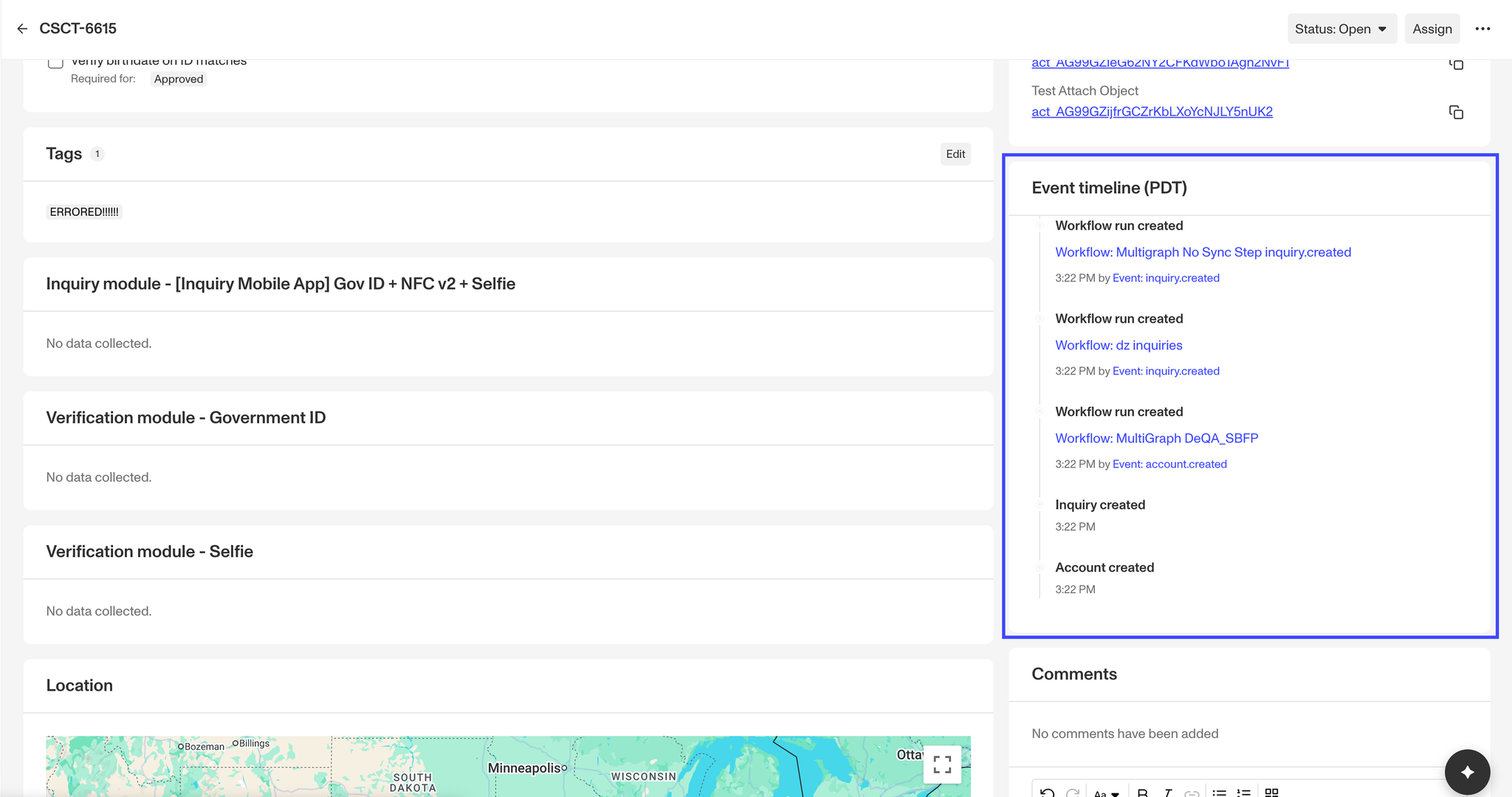
Every identity leaves behind a trail of events
These are a few examples of actions in Persona that can trigger events:
Verification passed
An identity successfully passes a verification check.
Field updated
Information on an account or object is changed.
Workflow triggered
An action starts an automated workflow.
problem
A tool meant to clarify history had become too inconsistent to quickly scan and understand
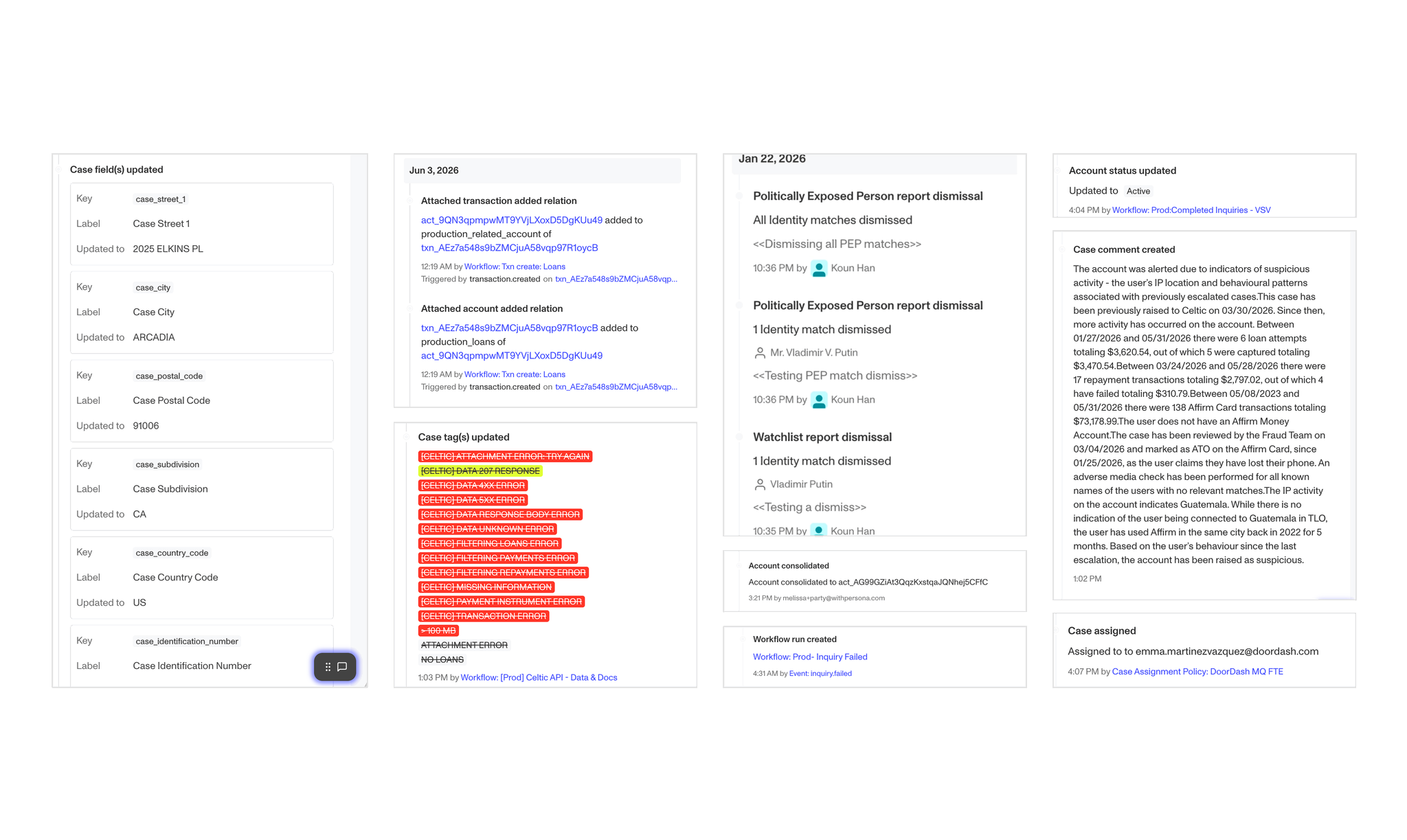
As Persona grew, new event types were added with different layouts, metadata, and levels of detail. These inconsistent structures made the timeline difficult to scan, forcing users to read events individually.
I spoke with Solution Engineers at Persona, who told me, “If it takes more than 5 minutes, they pass the case to us.” When customers struggled to investigate timelines on their own, they escalated cases, adding to an already stretched team’s workload.
research
I audited the timeline to understand what was slowing users down
I mapped existing event types and compared how each displayed titles, timestamps, actors, links, object references, and supporting details.
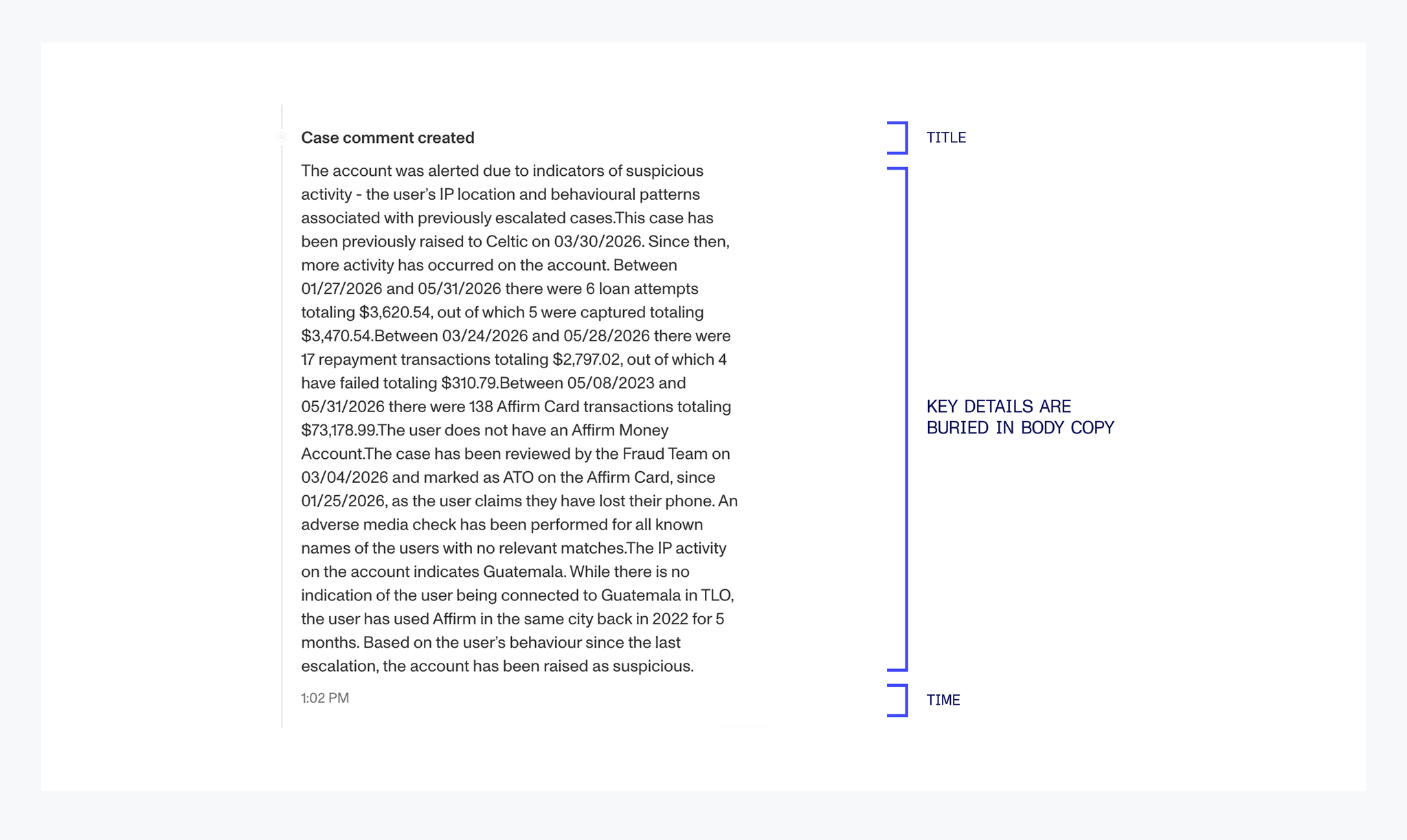
Challenge 1: Key information was hard to scan
Users often had to read an entire event to find basic information like what happened, when it happened, or what object it belonged to.
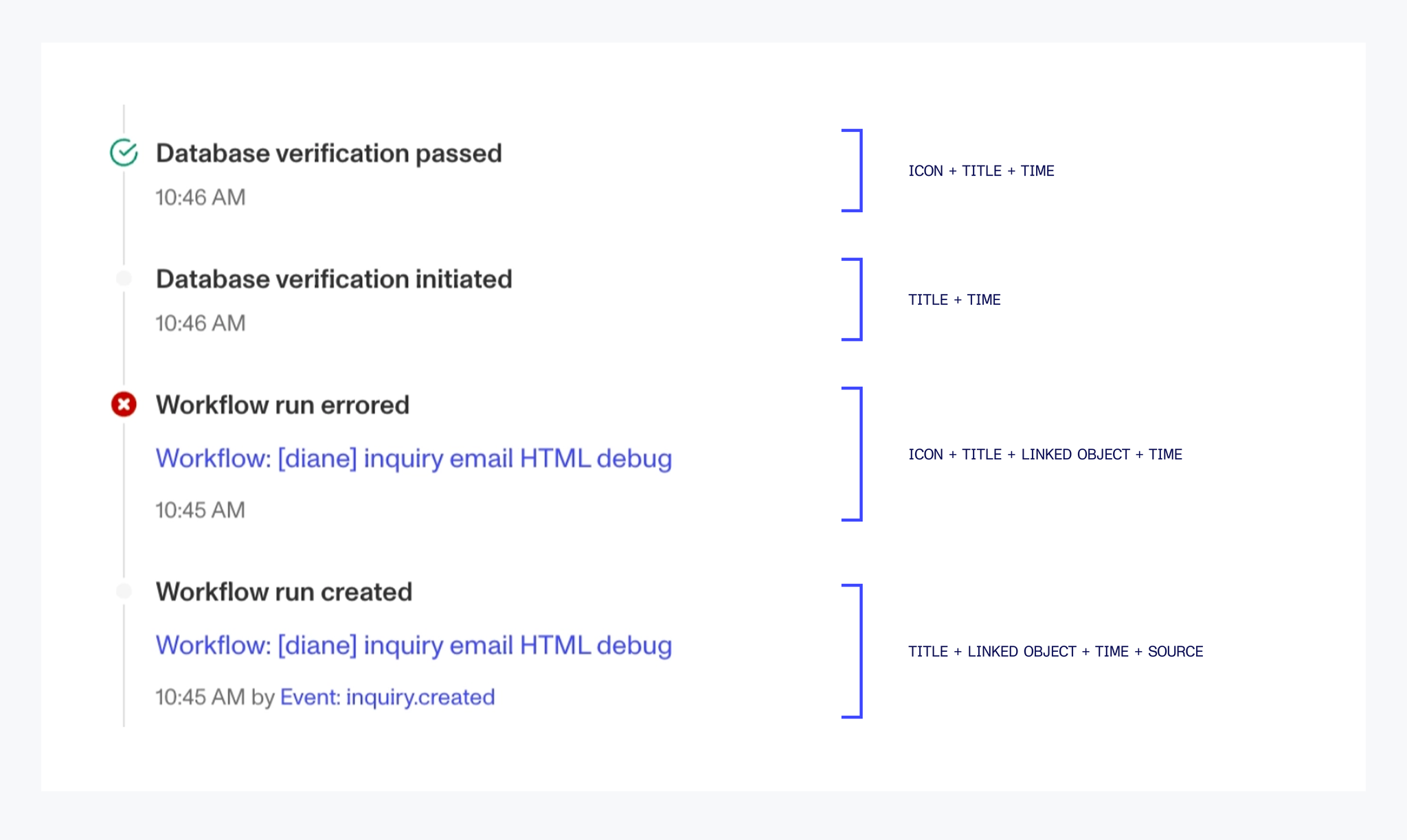
Challenge 2: The same information appeared differently across events
Titles, timestamps, actors, and object references changed location, or disappeared entirely, depending on the event type. Without a predictable hierarchy, every event required a slightly different reading pattern.
strategy
A shared hierarchy made events easier to scan
To make the timeline more consistent without limiting different event types, I set three principles for the redesign:
Prioritize key information
Surface the most important details first and clearly.
Keep metadata consistent
Place repeated details in the same predictable spots.
Support varied event types
Handle different event types, content, and missing data.
mvp solution
I unified event cards under one consistent hierarchy
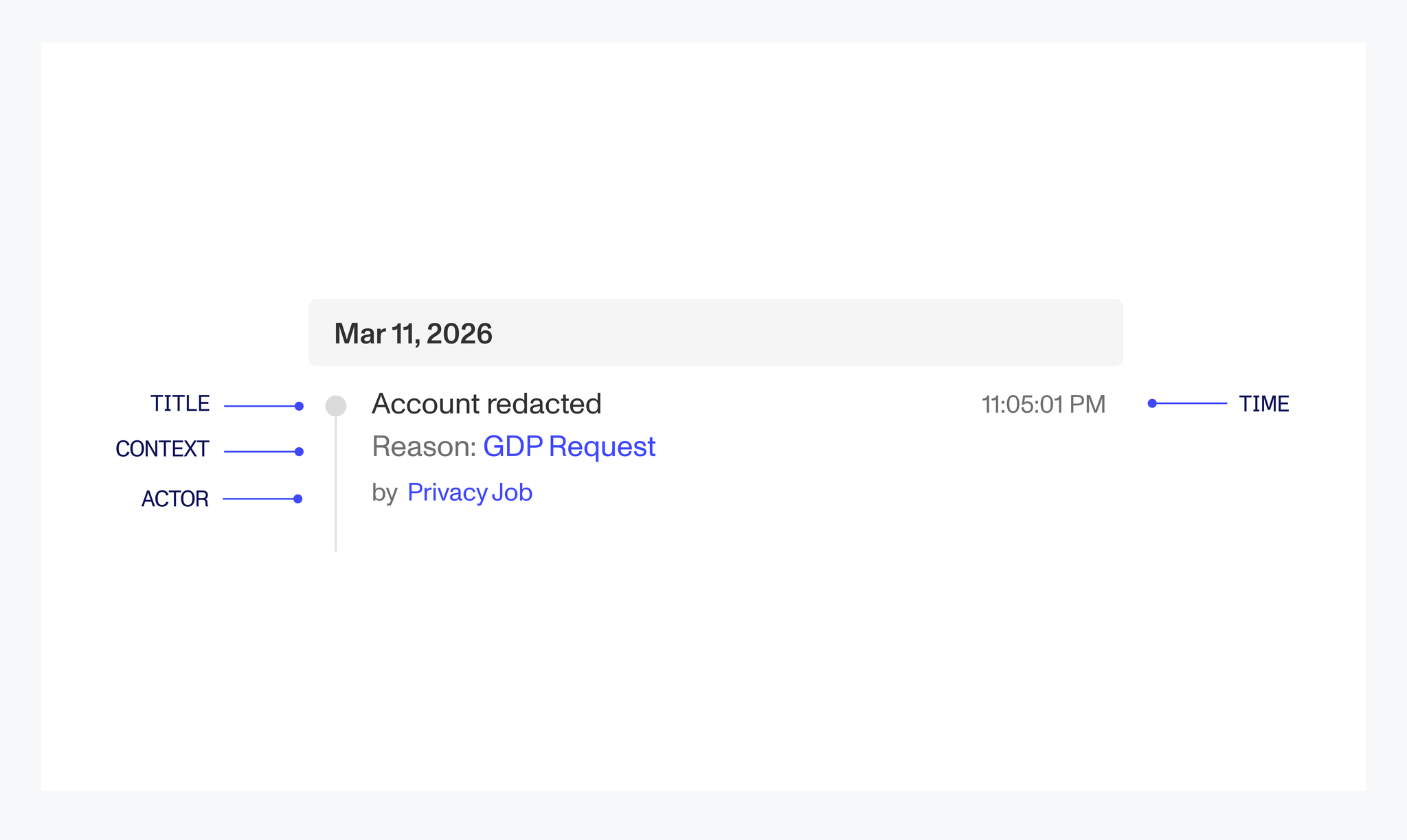
I created a consistent hierarchy across event components. Here are a few examples of how titles, timestamps, metadata, links, and supporting details were standardized.
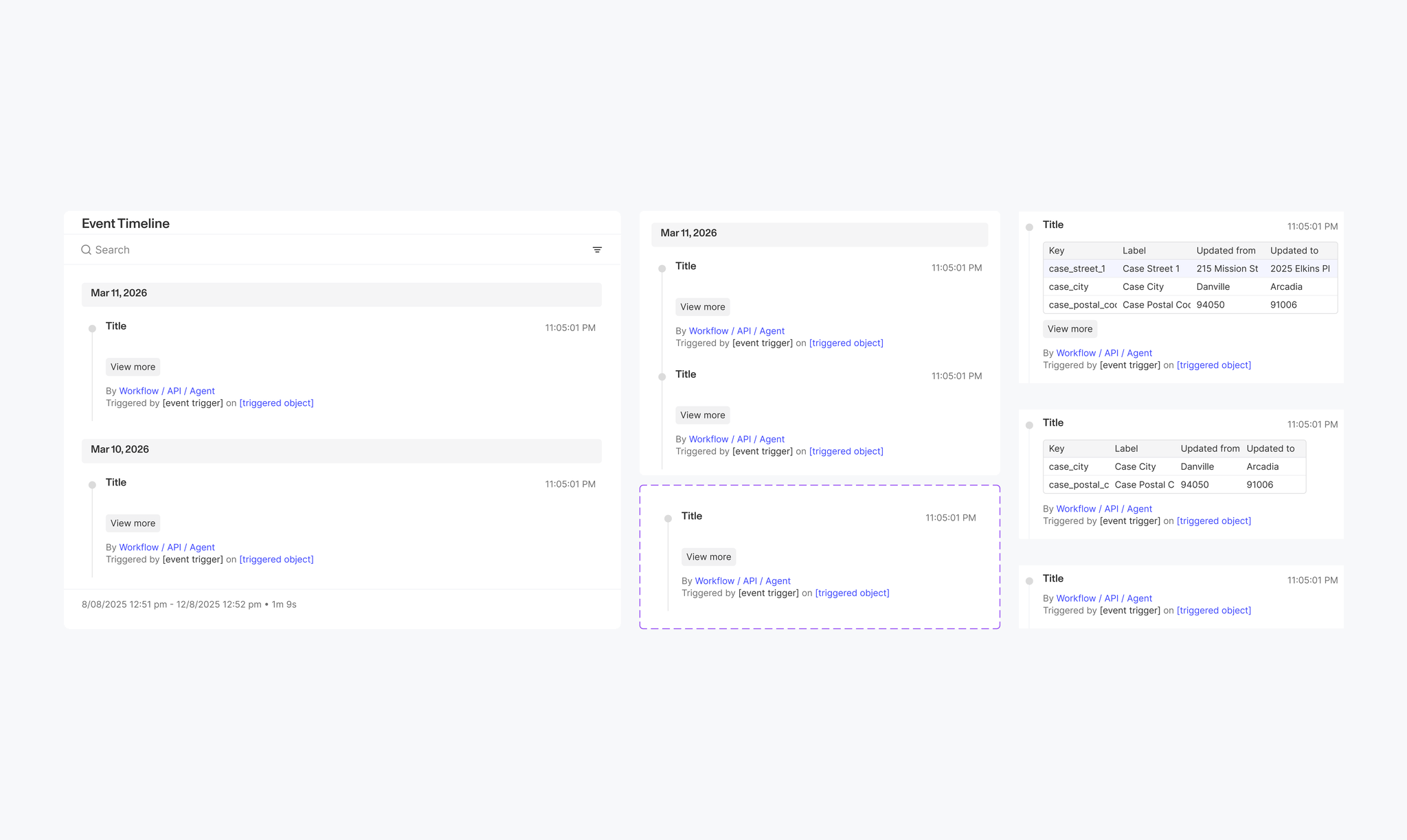
The system scaled across different event types
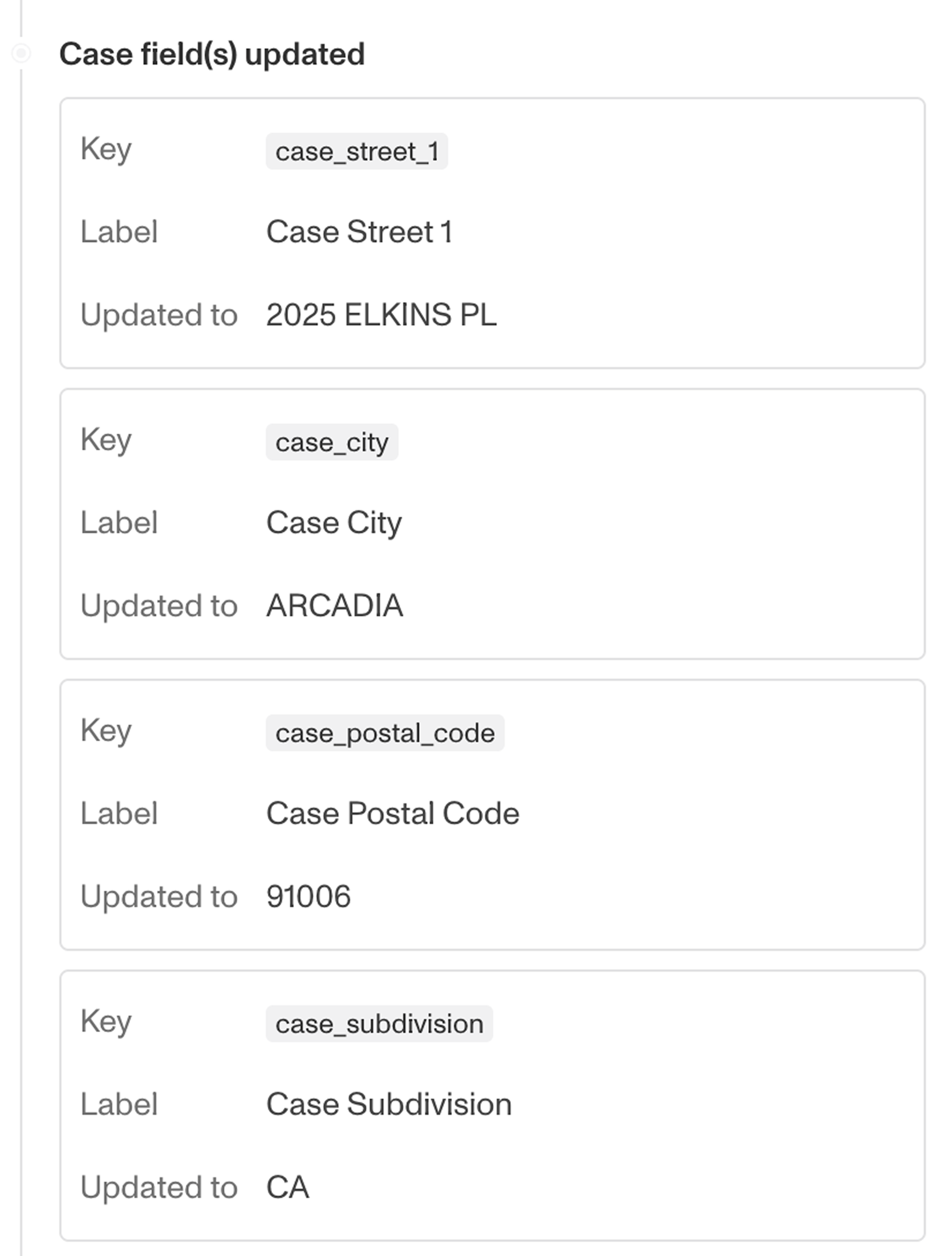
I mapped the structure across major changes, minor changes, metadata, long-form content, and edge cases. Below is a before-and-after comparison of case field(s) updated.
Before
Case field(s) updated
post-mvp
The MVP improved the timeline, but I saw a larger opportunity
Standardizing the cards made events more consistent and easier to scan. But the timeline was still a long vertical feed, which limited how quickly users could navigate larger histories.
Because a bigger structural change couldn’t ship immediately, I treated the MVP as the near-term solution and explored what the timeline could become longer term.
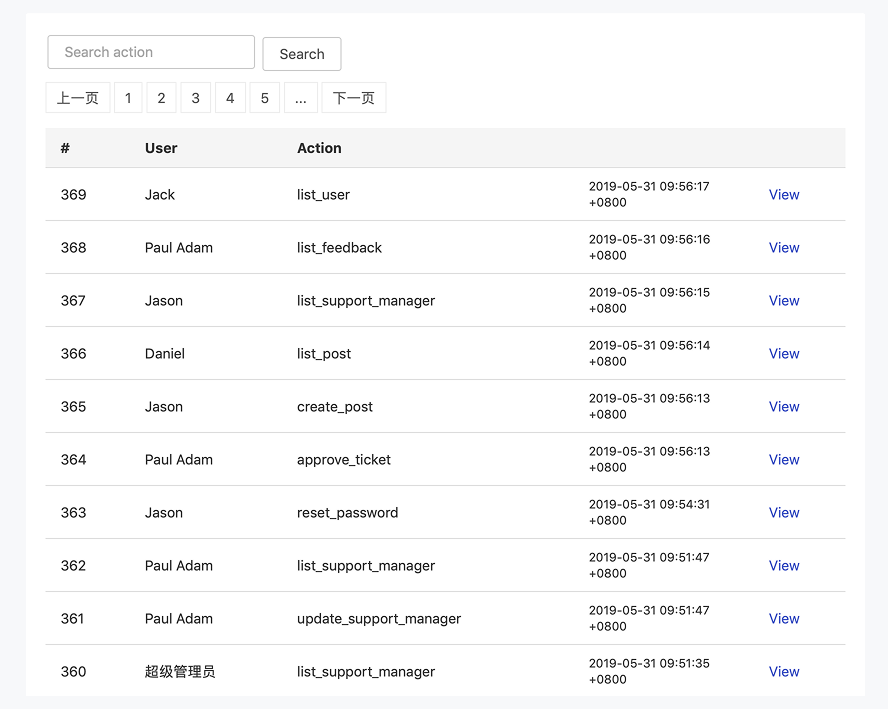
Other enterprise tools surfaced event history as structured data
I looked at products like GitHub and other audit/debugging tools and noticed they used structured tables to handle dense event history.
exploration
Exploring different ways to structure the timeline
I tested several formats for organizing event history, including horizontal timelines, swimlanes, workflow trees, and tables.
final solution
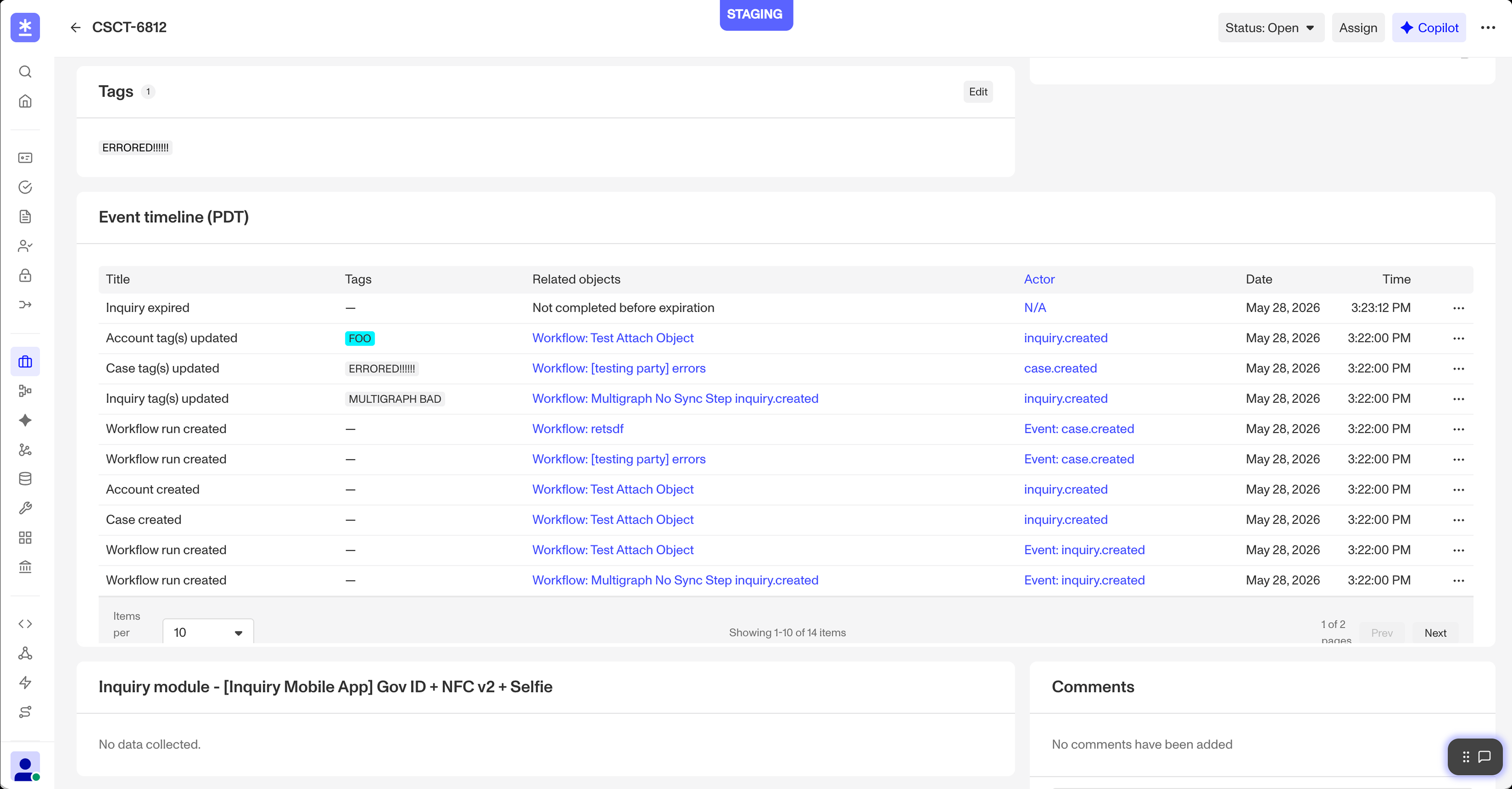
A table offered the clearest way to scan, compare, and navigate large volumes of event data.
A table surfaced repeated attributes in consistent columns, making events easier to scan and compare while creating room for sorting and filtering.
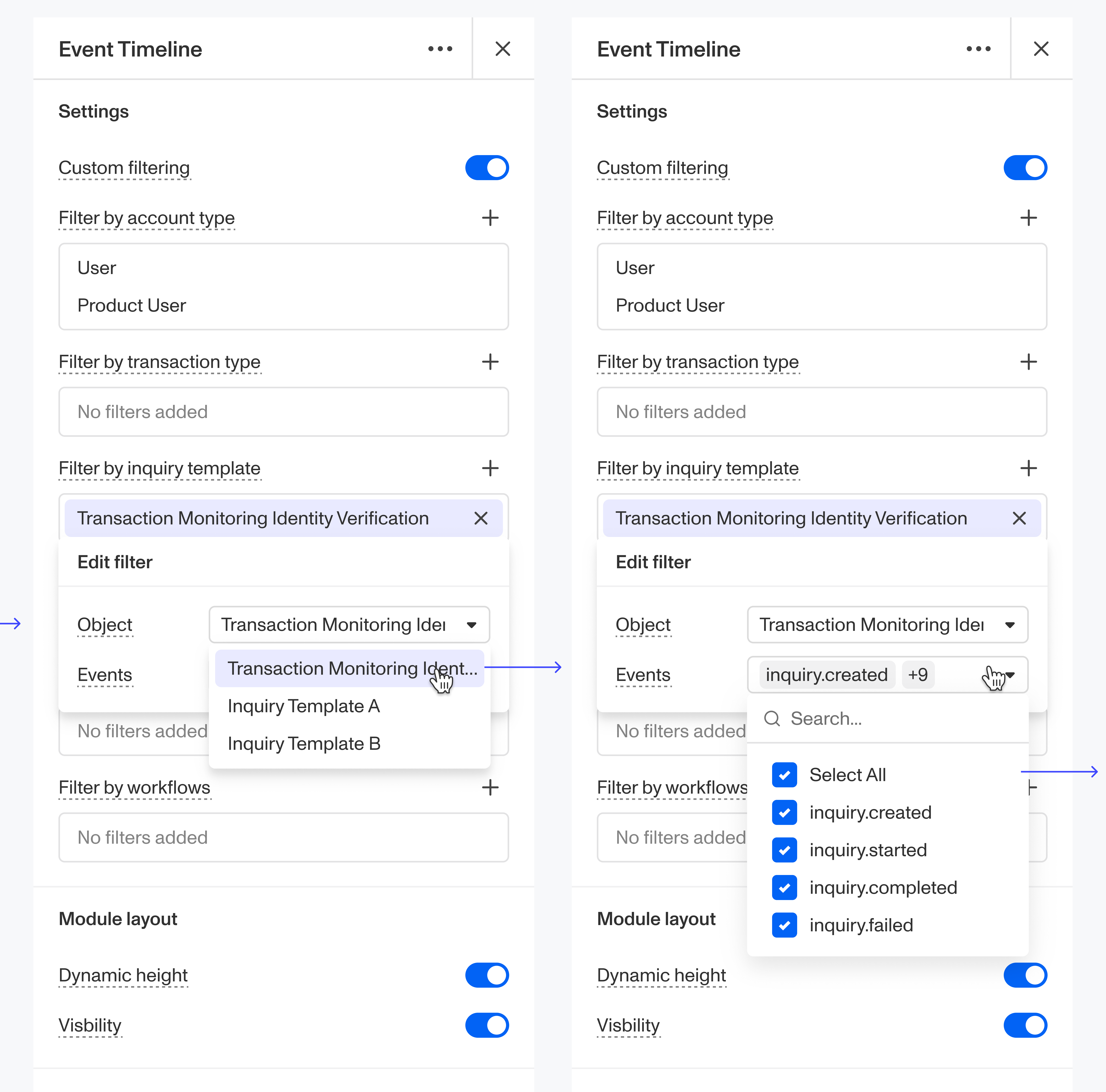
A structured timeline also opened the door to filtering
Once event attributes were consistently surfaced, users could narrow the timeline by event type, actor, object, or workflow instead of scanning the full history.
reflections
I improved the timeline for today while designing toward a more scalable future
Here are a few takeaways I’m carrying forward from this project:
Own the problem,not just the screens
Question the ask to find the real problem.
Design for bothnow and next
Balance what ships now with what scales next.
Systems thinkingmatters
Consistency makes small decisions powerful.
Beyond the Event Timeline, I also worked on other end-to-end projects, including building a new Scroll Wrap component and a tab editing flow, which let me contribute across different parts of the product.
My favorite part of Persona was the ownership, fast pace, and how AI-forward the team was; using tools like Cursor to prototype allowed me to get feedback and iterate more quickly.